- Python 74.1%
- Shell 25.9%
| .github/ISSUE_TEMPLATE | ||
| doc | ||
| fetch/ectool | ||
| services | ||
| src/fw_fanctrl | ||
| .editorconfig | ||
| .gitignore | ||
| install.sh | ||
| LICENSE | ||
| post-install.sh | ||
| pre-uninstall.sh | ||
| pyproject.toml | ||
| README-guix.md | ||
| README.md | ||

fw-fanctrl



Platforms


Third-party


You are a package manager? Add your platform here!
Description
Fw-fanctrl is a simple Python CLI service that controls Framework Laptop's fan(s) speed according to a configurable speed/temperature curve.
Its default strategy aims for very quiet fan operation, but you can choose amongst the other provided strategies, or easily configure your own for a different comfort/performance trade-off.
It also is possible to assign separate strategies depending on whether the laptop is charging or discharging.
Under the hood, it uses ectool to change parameters in Framework's embedded controller (EC).
It is compatible with all 13" and 16" models, both AMD/Intel CPUs, with or without a discrete GPU.
If the service is paused or stopped, the fans will revert to their default behaviour.
Table of Content
Third-party projects
Have some cool project to show? Add yours to the list!
| Name | Description | Picture |
|---|---|---|
| fw‑fanctrl‑gui | Simple customtkinter python gui with system tray for fw‑fanctrl |  |
| fw-fanctrl-revived-gnome-shell-extension | A Gnome extension that provides a convenient way to control your framework laptop fan profile when using fw-fanctrl | 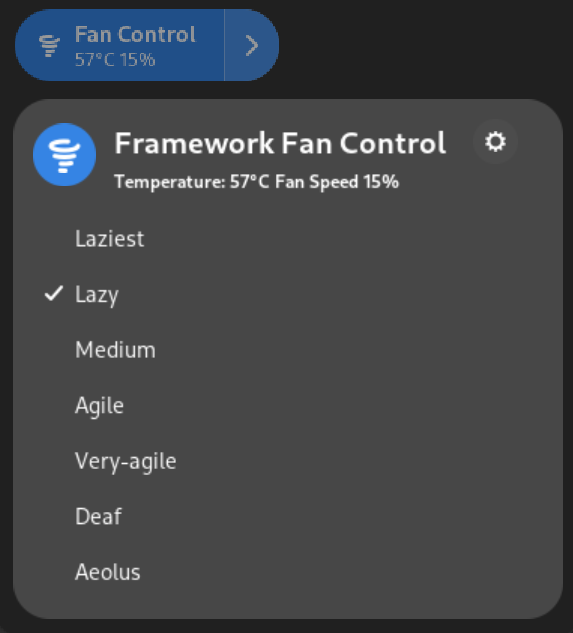 |
Documentation
More documentation could be found here.
Installation
Platforms
| Name | Package | Branch | Documentation |
|---|---|---|---|
| Linux / Global | installation script | main | instructions |
| NixOS | flake | packaging/nix | packaging/nix/doc/nix‑flake |
Third-party
| Name | Package | Documentation |
|---|---|---|
| Arch Linux | AUR | |
| Fedora / RPM | COPR | GIT repository |
Requirements
| Name | Version | Url |
|---|---|---|
| Linux kernel | >= 6.11.x | |
| Python | >= 3.12.x | https://www.python.org/downloads |
Dependencies
Dependencies are downloaded and installed automatically, but can be excluded from the installation script if you wish to do this manually.
| Name | Version | Url | Sub‑dependencies | Exclusion argument |
|---|---|---|---|---|
| DHowett@ectool | build#899 | https://gitlab.howett.net/DHowett/ectool | libftdi | --no-ectool |
Instructions
Download the repo and extract it manually, or download/clone it with the appropriate tools:
git clone "https://github.com/TamtamHero/fw-fanctrl.git"
curl -L "https://github.com/TamtamHero/fw-fanctrl/archive/refs/heads/main.zip" -o "./fw-fanctrl.zip" && unzip "./fw-fanctrl.zip" -d "./fw-fanctrl" && rm -rf "./fw-fanctrl.zip"
Then run the installation script with administrator privileges
sudo ./install.sh
You can add a number of arguments to the installation command to suit your needs
| argument | description |
|---|---|
--dest-dir <installation destination directory (defaults to /)> |
specify an installation destination directory |
--prefix-dir <installation prefix directory (defaults to /usr)> |
specify an installation prefix directory |
--sysconf-dir <system configuration destination directory (defaults to /etc)> |
specify a default configuration directory |
--no-ectool |
disable ectool installation and service activation |
--no-post-install |
disable post-install process |
--no-pre-uninstall |
disable pre-uninstall process |
--no-battery-sensors |
disable checking battery temperature sensors |
--no-pip-install |
disable the pip installation (should be done manually instead) |
Update
To update, you can download or pull the appropriate branch from this repository, and run the installation script again.
Uninstall
To uninstall, run the installation script with the --remove argument, as well as other
corresponding arguments if necessary
sudo ./install.sh --remove
Development Setup
It is recommended to use a virtual environment to install development dependencies
Install the development dependencies with the following command:
pip install -e ".[dev]"
The project uses the black formatter.
Please format your contributions before commiting them.
python -m black .